

Zillow: Homes for Sale & Rent review
 Analysis by GetAllApps
Looking for a home can turn into a jumble of saved listings, open tabs, and notes about neighborhoods. Zillow gives me one place to begin: I can explore homes for sale and rentals, narrow the search, and keep interesting options together while I work out what fits. It is a free house-and-home app from Zillow Group, and its broad reach makes it a familiar starting point for people browsing the US housing market. My main advice for a first visit is simple: treat it as a discovery and comparison tool, not as a substitute for checking a property and its details directly.
What to expect when you open Zillow
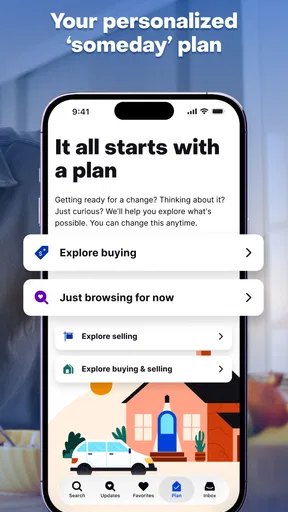
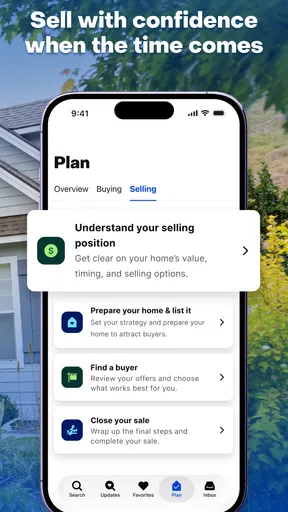
The first useful thing to know is that the app is for more than people ready to buy. Renters can look for apartments and homes, buyers can survey properties, and owners can use it as part of exploring a sale. The experience is built around browsing listings, so it is particularly handy when you are still forming a picture of what is available rather than choosing between two properties you have already visited.
Zillow has a 4.8 average rating from around 1.7 million ratings, and it has been installed over 50 million times. Those figures suggest that it has become a mainstream home-search option, but they do not tell you whether a particular listing is current or whether a neighborhood suits you. I would judge it by how well it helps you organize your own search, then verify important details through the people responsible for the property.
Instead of beginning with a long, unfocused scroll, think about the decision you are actually trying to make. Are you comparing rent with a purchase, checking whether a commute would be manageable, or simply learning what homes in a certain area look like? A clear purpose makes the app’s range easier to handle. For a first-time user, even a rough location and a realistic budget are enough to turn browsing into a more useful exercise.
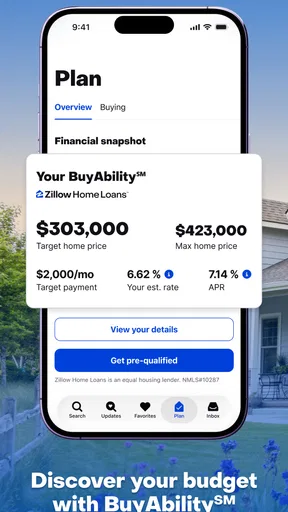
The app is rated for Everyone, which makes its general audience broad, though its subject is naturally most relevant to adults making housing decisions. It is free to install, so you can explore without paying an upfront app price. That does not mean every home-related cost is represented in a listing: rent, purchase price, utilities, deposits, taxes, and other expenses are separate parts of a real housing decision.
Set up a search around your real constraints
Before saving anything, decide which requirements are firm and which are preferences. A maximum budget and a location may be non-negotiable, while an extra bedroom or a particular style could be flexible. This distinction is more than a tidy way to browse: it helps prevent an attractive but impractical listing from becoming the standard by which you judge every other option.
For a renter, I would start with the areas that make daily life workable, then compare the homes that appear there. For a buyer, it can help to search a little more widely at first and notice how location, size, and condition affect the options. Avoid setting so many filters immediately that the results become too narrow to teach you anything. If the screen looks empty, loosen one preference at a time rather than abandoning the search.
One useful habit is to keep the search tied to a real weekly routine. Imagine the trip to work, the grocery run, or the walk to a regular appointment. A listing can look compelling in isolation, but the surrounding location may change whether it belongs on your shortlist. Zillow can help you identify candidates; your own local knowledge and follow-up research are what turn a candidate into a serious option.
Your first meaningful result: make a shortlist
A successful first session does not have to end with a tour booked or a home chosen. I would call it a success if I found a small set of plausible listings and could explain why each one made the cut. Save or otherwise keep track of the options the app lets you revisit, and note the trade-off that matters for each: perhaps one is in a better location, while another appears to offer more space for the budget.
This comparison becomes especially useful when you are looking at homes over several days. Rather than relying on memory, revisit the same candidates and ask the same questions: Is the location still right? Does the price fit the budget once other costs are considered? Is there enough information to decide whether contacting someone is worthwhile? The discipline of comparing like with like can be more valuable than seeing another dozen listings.
A realistic example: I might spend a lunch break looking for a rental near a new job. I would first focus on a manageable area and rent range, then save a few possibilities instead of trying to inspect every result. Later, I could compare their locations and listing details with my commute needs and contact the relevant listing contact about anything that affects a viewing. That turns a casual search into a practical next step without pretending the app has answered every question.
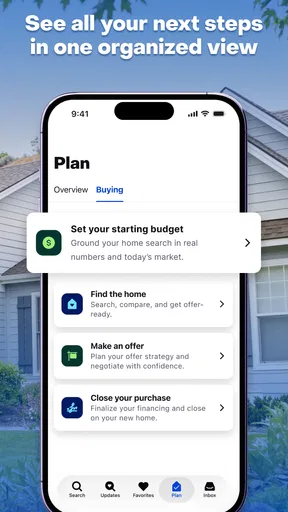
For a first-time buyer, a similar workflow helps separate curiosity from readiness. Browse to learn what kinds of homes appear in an area, then keep a shortlist of places that match the needs you can name. Before acting on a listing, check the current status and ask about details that matter to you, such as condition or timing. The app can support the search, but it cannot make those questions unnecessary.
Common points of confusion while browsing
The biggest misunderstanding I would avoid is treating a listing as a complete, final account of a property. A listing is a starting point for inquiry, not a guarantee that every detail is current or that the home will suit you in person. If a property looks promising, confirm its availability and the relevant terms with the contact associated with it before building your plans around it.
It is also easy to compare unlike things. A rental and a home for sale are different decisions, and even two listings in the same area may differ in details that matter more than their headline price. I recommend deciding what you need to compare before browsing: total monthly affordability for a renter, or location, condition, and expected ownership costs for a buyer. The app can help bring options together, but the comparison still needs a consistent standard.
Another source of friction is overconfidence in a search that feels precise. Filters can make results easier to manage, yet an overly strict setup may hide homes worth considering. If you are new to an area, try a broad first pass, observe the patterns, and then refine. If you already know exactly what you need, tighter criteria make more sense. The right balance depends on whether you are learning the market or searching against settled requirements.
Do not assume that browsing alone settles neighborhood questions. A map or listing view can help you orient yourself, but it cannot tell you how a place feels at the times you would be there, whether a route works for your routine, or whether nearby services meet your needs. I would use the app to create a list of places to investigate, then look beyond the screen and arrange a visit when appropriate.
Where Zillow fits among home-search options
Compared with searching through one agent’s collection or relying on a handful of local notices, Zillow is useful when you want a broad, self-directed way to explore homes and rentals. Its main strength is the ability to browse and compare possibilities in one familiar setting. That is especially helpful early on, when you may not yet know which neighborhoods, property types, or trade-offs deserve attention.
The trade-off is that a broad search tool can feel busy and can encourage endless browsing. A local professional, property manager, or direct conversation may be more useful when your needs are specific, timing is urgent, or you need a clear answer about a particular home. I would not ask an app to resolve a negotiation, inspect a property, or confirm every practical detail. Use Zillow to identify questions and candidates; use direct follow-up to answer them.
It is also not the right choice for someone who wants a fully managed housing decision with no independent research. The app helps you look, but you still need to assess affordability, verify details, and make arrangements yourself. If you are only looking for local rentals in a narrow market, a specialized local source may offer a more focused view. If you are comparing several areas or considering both renting and buying, Zillow’s wider scope is more appealing.
What I would do after the first search
Once you have a shortlist, choose one concrete next step rather than continuing to scroll by habit. Recheck the listing information, identify what remains unclear, and contact the relevant person or arrange a viewing when it makes sense. For a renter, that might mean asking about availability and lease terms. For a buyer, it could mean confirming status and deciding whether a visit is worthwhile. The point is to move from browsing to verification at your own pace.
If you are not ready to contact anyone, use the shortlist to sharpen your criteria. Notice which options you keep returning to and which compromises you reject. Maybe location matters more than an additional room; perhaps a lower price is not worthwhile if the commute becomes difficult. That reflection makes your next search more focused, even if you do not make a housing decision right away.
The app has been available since March 17, 2010, and its current version is 2026.80.1.135653, with Android support beginning at version 10. Those details may help you check compatibility, but the more important question is whether its browsing approach suits the way you want to search. I would install it for an exploratory, comparison-heavy search and keep expectations grounded: it is a useful companion for finding possibilities, not a promise that every possibility is right.
My overall recommendation is for first-time renters and buyers who want a straightforward place to begin, especially if they benefit from seeing multiple options before contacting anyone. Zillow can make that first step less intimidating by giving you something concrete to compare. Its limits are real: listing details need follow-up, and no amount of scrolling replaces seeing a home and considering its costs in context. Used as a shortlist builder rather than a final authority, it is a practical free app from Zillow Group and a sensible starting point for a housing search.
Pros and cons
Pros
- Save favorite homes to revisit them later.
- Draw a custom map area to focus your search.
- Get alerts when a saved listing changes.
- View listing details such as price history and property facts.
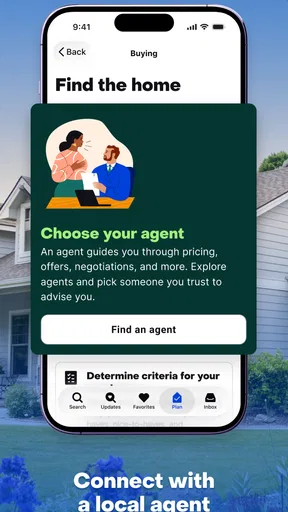
- Contact agents or property managers from a listing.
Cons
- Listing details may be outdated or inaccurate.
- Some homes may not include a 3D tour or photos.
- Rental availability can change before you contact the manager.
- Some features and listings vary by location.
- The app may request location access for nearby results.


